Customer portal
Your sites, projects and documents, together in your Enfy account.
Follow your project from planning to operation. Find offers and documents, view your site equipment and stay in touch with Enfy — all in one place.
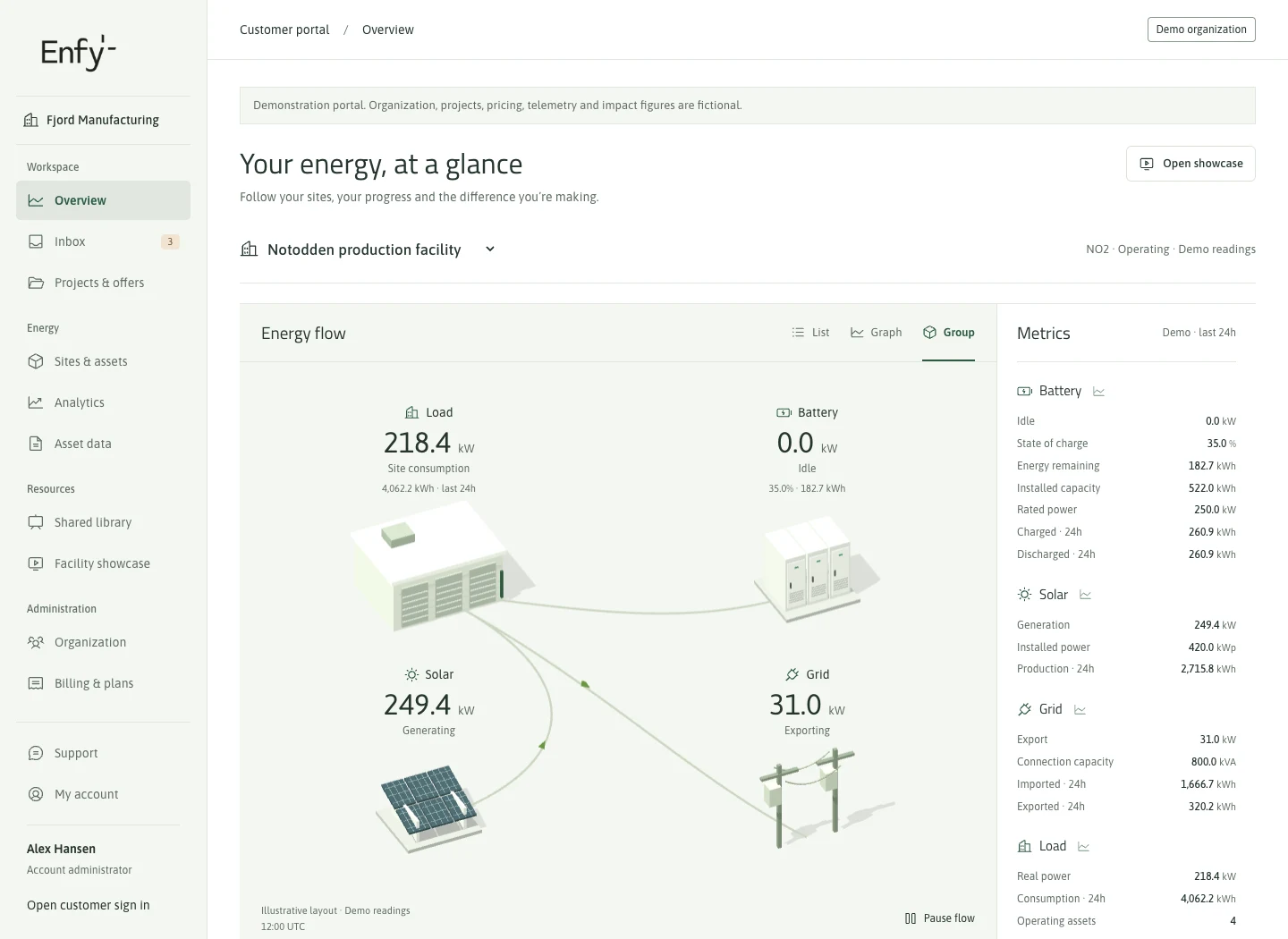
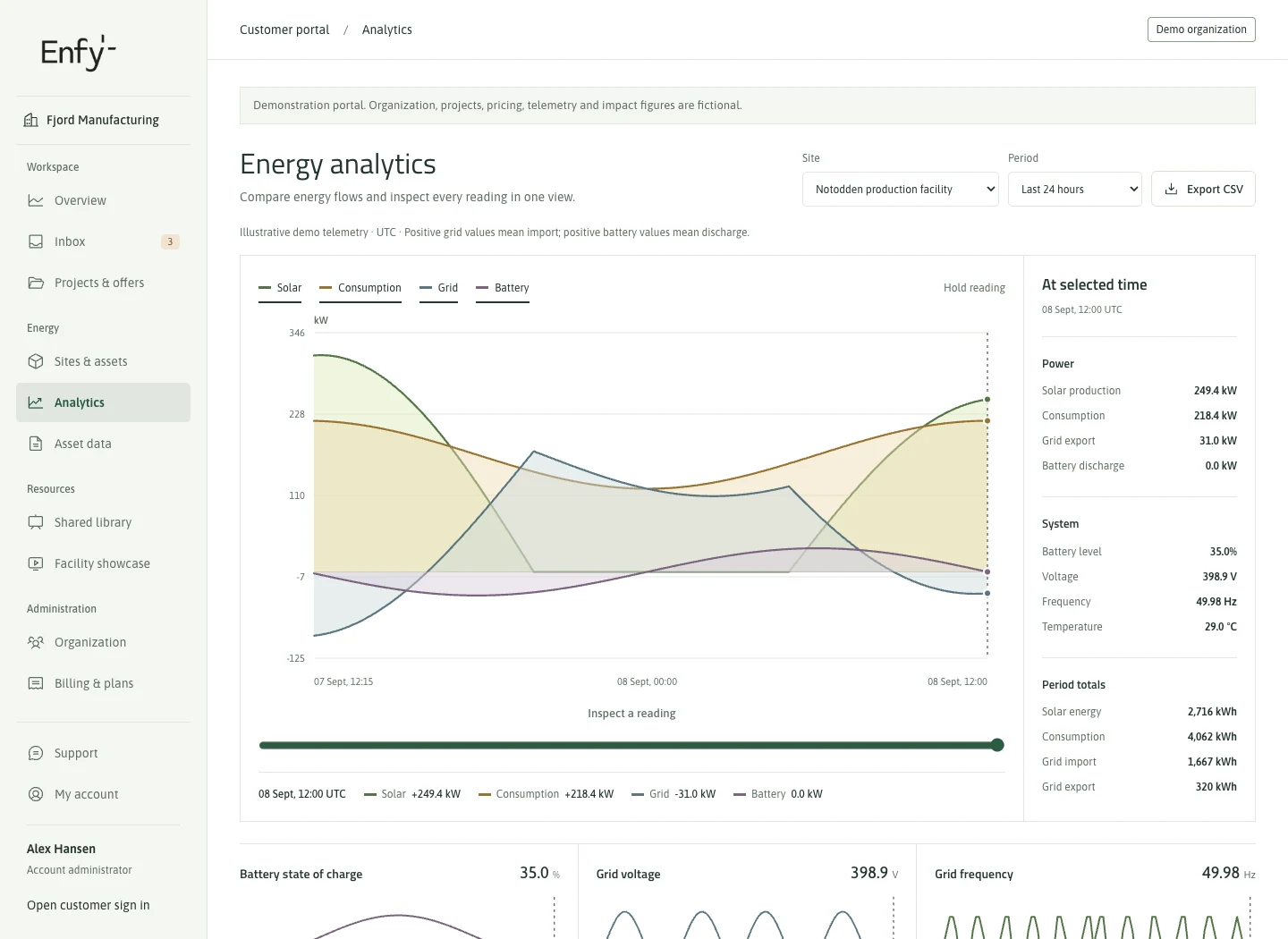
Understand how your energy works together
The overview brings solar, battery, consumption and grid flows together. In Analytics, choose a period, compare energy flows and inspect individual readings.
Energy views currently use simulated data. They demonstrate how the interface works, rather than measured results or actual savings for your site.
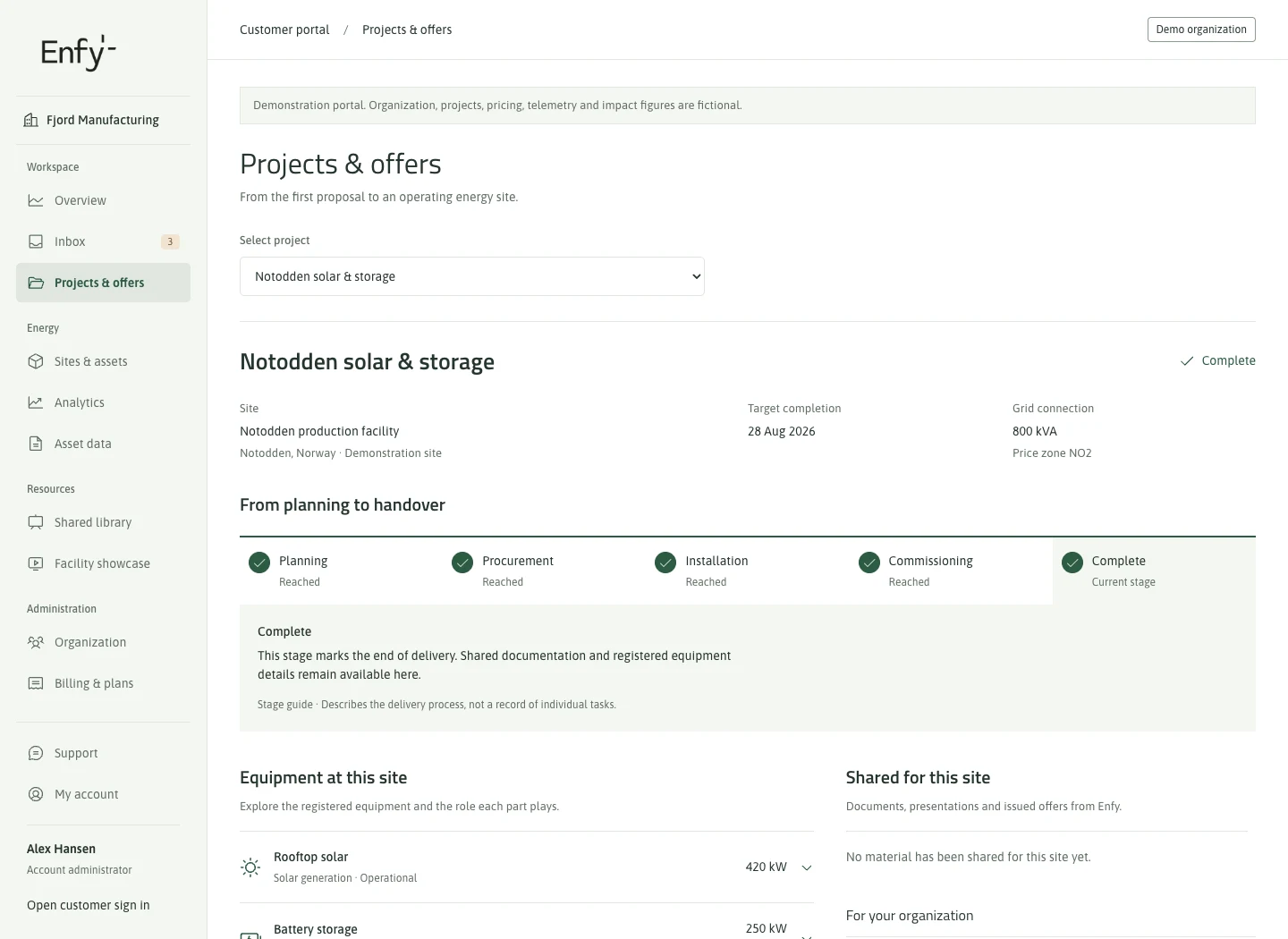
Follow your project and find what has been shared
See progress, planned dates and equipment linked to your project’s site. Offers, documents and presentations shared with your account by Enfy are available in the portal. Your inbox brings updates together.
The right access for each person
Keep several sites under one account. Account administrators can invite colleagues and assign roles with access to specific sites and assets. Each person can choose Norwegian or English.
Get started with your Enfy account
1. Sign in with your email
Open the customer portal and enter your email address. You will receive a link to sign in without a password.
2. Choose your customer account
Accept an invitation or create an account for your organization or household. Use the email address your invitation was sent to.
3. Find your sites and projects
You see content shared with your account and allowed by your role. A new account is empty until sites and content are linked to it.